Patch DMX with the wizard
DMX patching in ShowPlot happens as you place fixtures, not as a separate step you do later.
Addressing a run of fixtures
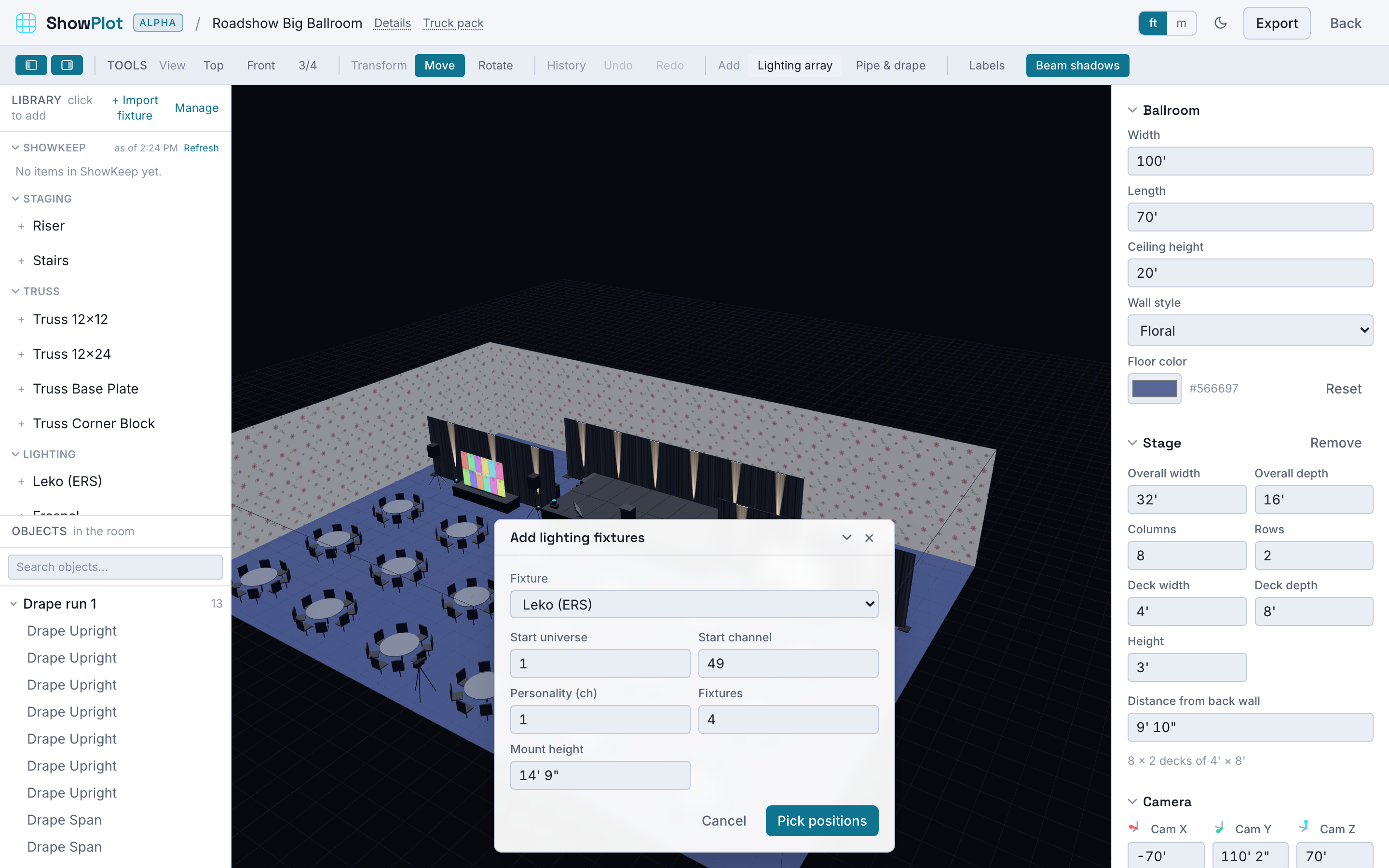
The lighting array tool lets you lay down a line of fixtures at once: pick a fixture, its DMX mode, and a starting universe and address, and ShowPlot lays them out with addresses assigned in sequence, each one moving forward by its full channel footprint. If a run would run past channel 512, ShowPlot rolls the next fixture over to the start of the next universe automatically rather than overflowing.
Editing one fixture by hand
Select a placed fixture and its properties pane shows its address (as universe.channel, for example 1.1) and its DMX mode. Change either directly, no need to redo the whole run for a single fixture.
Catching conflicts
Every address you set is checked live against everything else in the room. An address that overlaps another fixture's footprint is flagged right away, and so is a personality that can't fit in the universe you gave it. When nothing is selected, the properties pane also shows a running count of DMX address conflicts left in the room, so you can tell at a glance whether the patch is clean before you move on.
Getting the patch on paper
Once your fixtures are patched, the tech sheet export can include a lighting patch sheet page alongside your plan and elevation views. See Exports: PDF, DXF, glTF, and tech sheets.