Exports: PDF, DXF, glTF, and tech sheets
The export menu turns your show into files other people and other software can use.
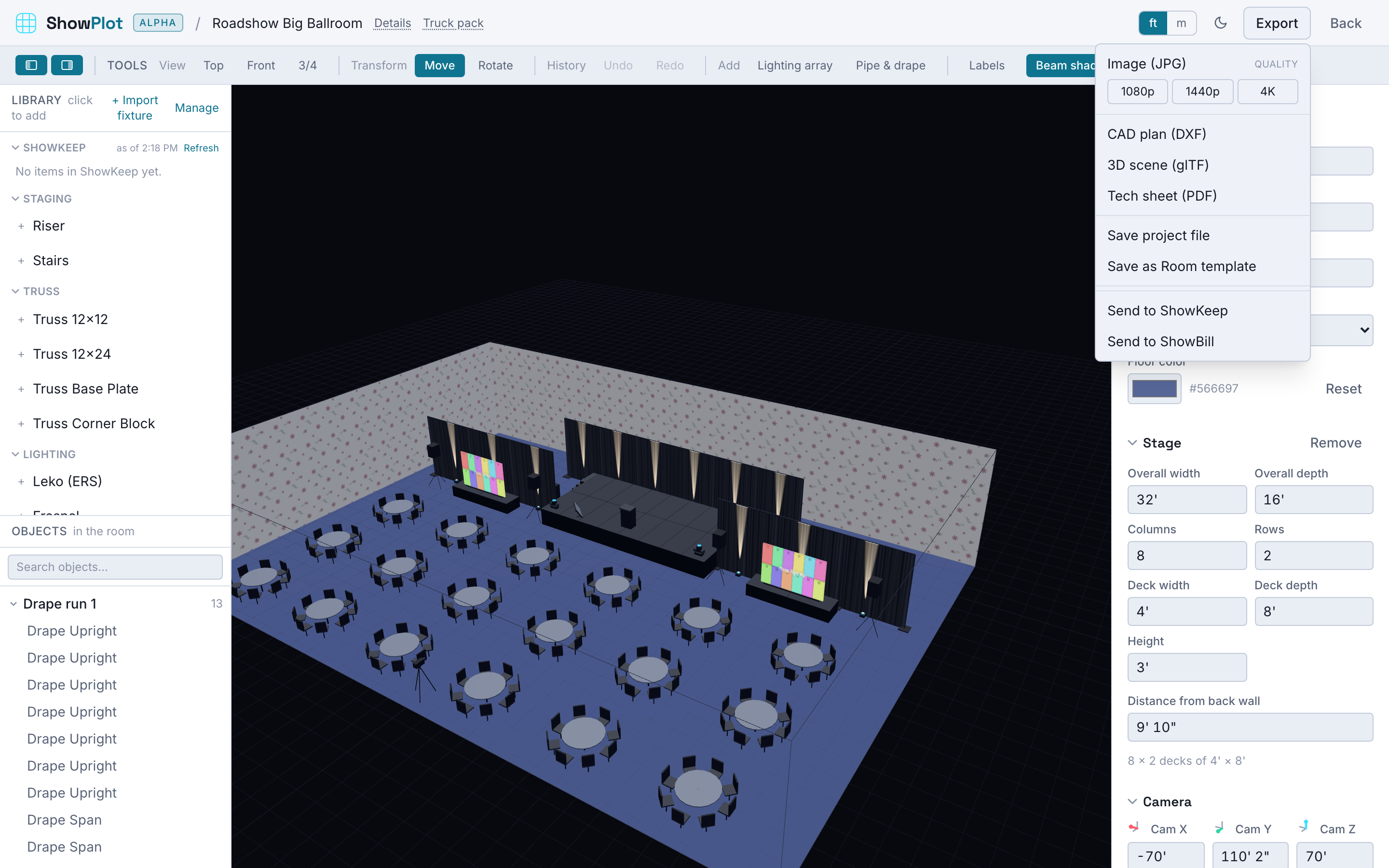
The formats
| Format | What it's for |
|---|---|
| JPG | A snapshot of the current 3D view, with a choice of resolution (1080p, 1440p, or 4K). Good for a quick share or a deck. |
| DXF | A 2D plan of the room for CAD software like Vectorworks. |
| glTF | A 3D export of the whole scene for software like Blender. |
| PDF tech sheet | A full document builder: cover page, plan, front elevation, three-quarter view, camera views, the lighting patch sheet, and video wall panel maps, all in one file. |
Watermarks and branding
Every export follows the same rule by plan:
- Free: exports carry a "Made with ShowPlot" watermark.
- Pro: exports are clean, no watermark.
- Max: exports are white-labeled. Set a logo in Billing and it replaces ShowPlot's own branding on your tech sheets, with no ShowPlot attribution line at all.
Which formats are on which plan
Free is limited to the watermarked JPG. Pro and Max add DXF, glTF, and the PDF tech sheet. See Plans and the bundle for the full comparison.
Building a tech sheet
When you export a tech sheet, you choose which pages go in: cover, plan, front elevation, three-quarter view, any saved camera views, the patch sheet, and video wall maps if the show has any walls. You can also prefill the cover with client, venue, and date straight from the show's Details.
The truck pack has its own export, the pack sheet, covered in Pack the truck.