Beam visualization
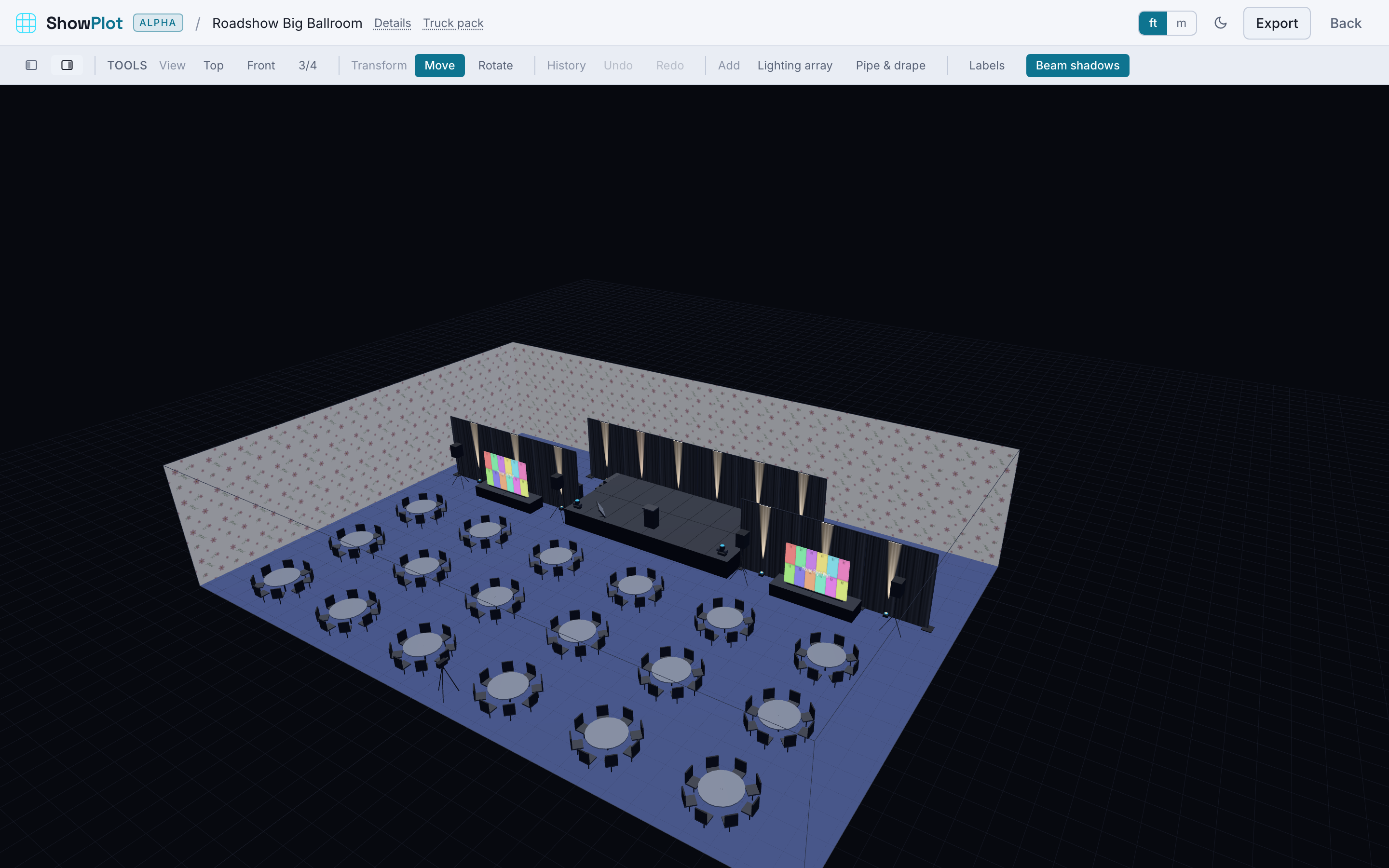
Once a lighting fixture is placed and aimed, ShowPlot shows its beam right in the 3D view, a cone of light running from the lens out to its reach. Aim a fixture and you see immediately what it's actually covering, not just where it's sitting.
Reading coverage
With several fixtures placed, their beams let you see overlap, gaps, and where a wash comes up short across a stage or a dance floor, all without leaving the room view. It's a fast way to sanity check an aim plot before you commit to a hang.
Shadows
Beams stop at solid objects in their path, so a truss, a wall, or another fixture casts a real shadow instead of the light passing straight through. That's what tells you a fixture is aimed into a pillar instead of the stage.
If you're on a slower machine, the toolbar's Beam shadows toggle turns shadowing off: beams still show, but they pass through everything, which renders lighter and faster.
Use beam visualization to check aim and coverage by eye. It isn't a photometric tool, so don't treat it as a footcandle calculation.