Tour of the dashboard
The dashboard is where ShowKeep lands you every time you sign in. It is built to answer one question at a glance: what needs my attention today?
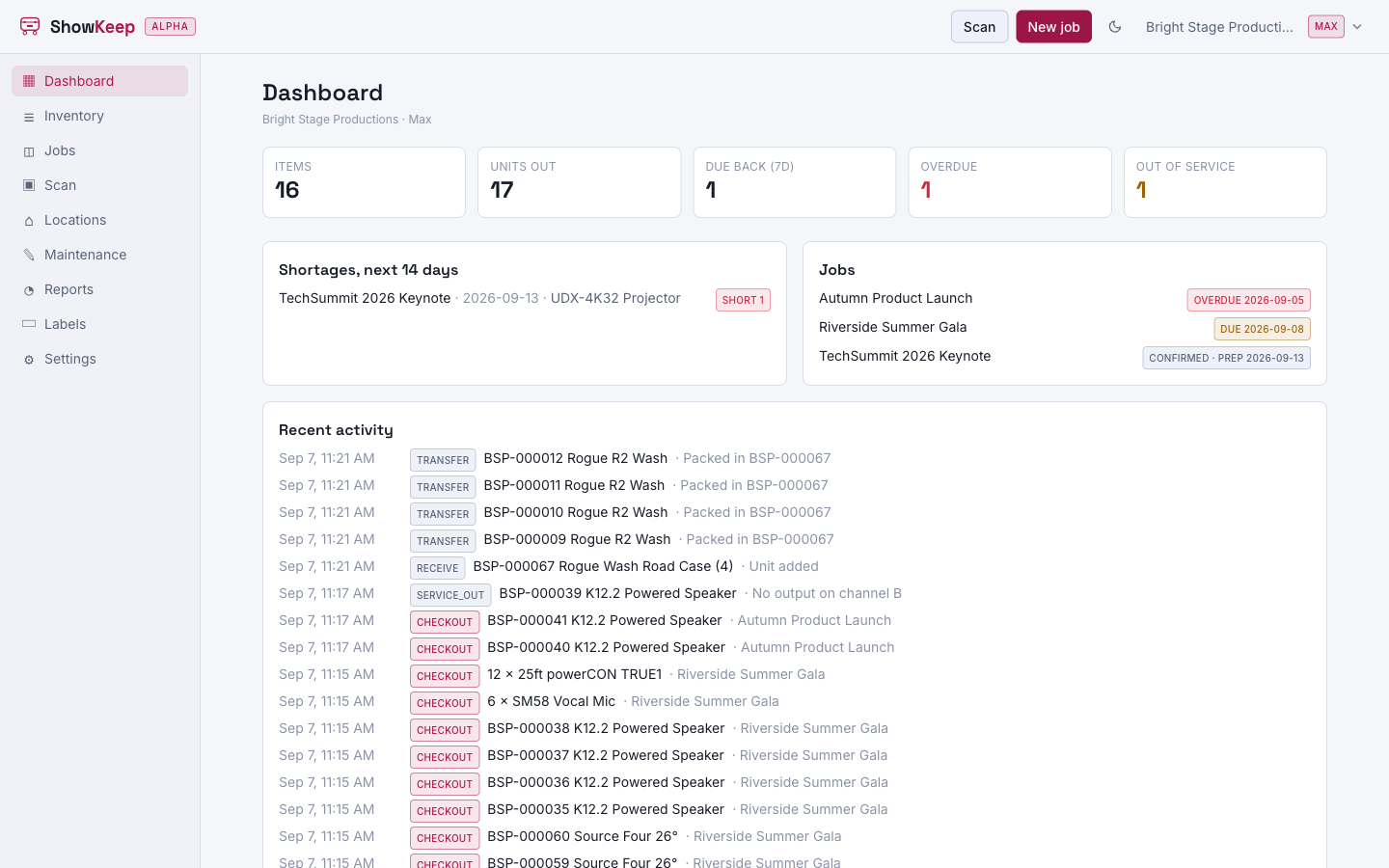
The tiles
Across the top you get five counts for your organization. Click any tile to go straight to the list behind it.
| Tile | What it counts |
|---|---|
| Items | Every item in your catalog. |
| Units out | Serialized units currently checked out to a job. |
| Due back (7d) | Jobs with a return due in the next seven days. |
| Overdue | Jobs whose return date has passed and still have gear out. |
| Out of service | Units currently out of service, damaged, or lost. |
Overdue and out of service turn a warning colour when they are above zero, so you can tell at a glance whether anything needs action.
Shortages, next 14 days
This panel lists upcoming jobs that do not have enough gear to cover what is requested, with the job name, the pull date, the item, and how many are short. An empty panel means every confirmed job in the next two weeks is fully covered.
Jobs
A combined view of overdue jobs, jobs due back soon, and jobs coming up, each with its status and date. It is a faster read than the full Jobs list when you just want to know what is moving this week.
Recent activity
A live feed of the last checkouts, check-ins, and other movements across your organization: who moved what, when, and on which job. It is the same movement history you see on an item's History tab, just for everything at once.
The Scan and New job buttons in the top corner take you straight into the two things you do most often: moving gear, and starting a show.