Reports and the audit log
Reports is where ShowKeep's day-to-day data turns into something you can review or hand off. Every report is a table you can download as a CSV.
The reports
| Report | What it shows | Plan |
|---|---|---|
| Overdue | Jobs whose return date has passed, with days late and units still out. | All |
| Out of service | Units currently out of service or lost, with any open ticket. | All |
| Utilization | Days out versus capacity days per item, over a date range you choose. | All |
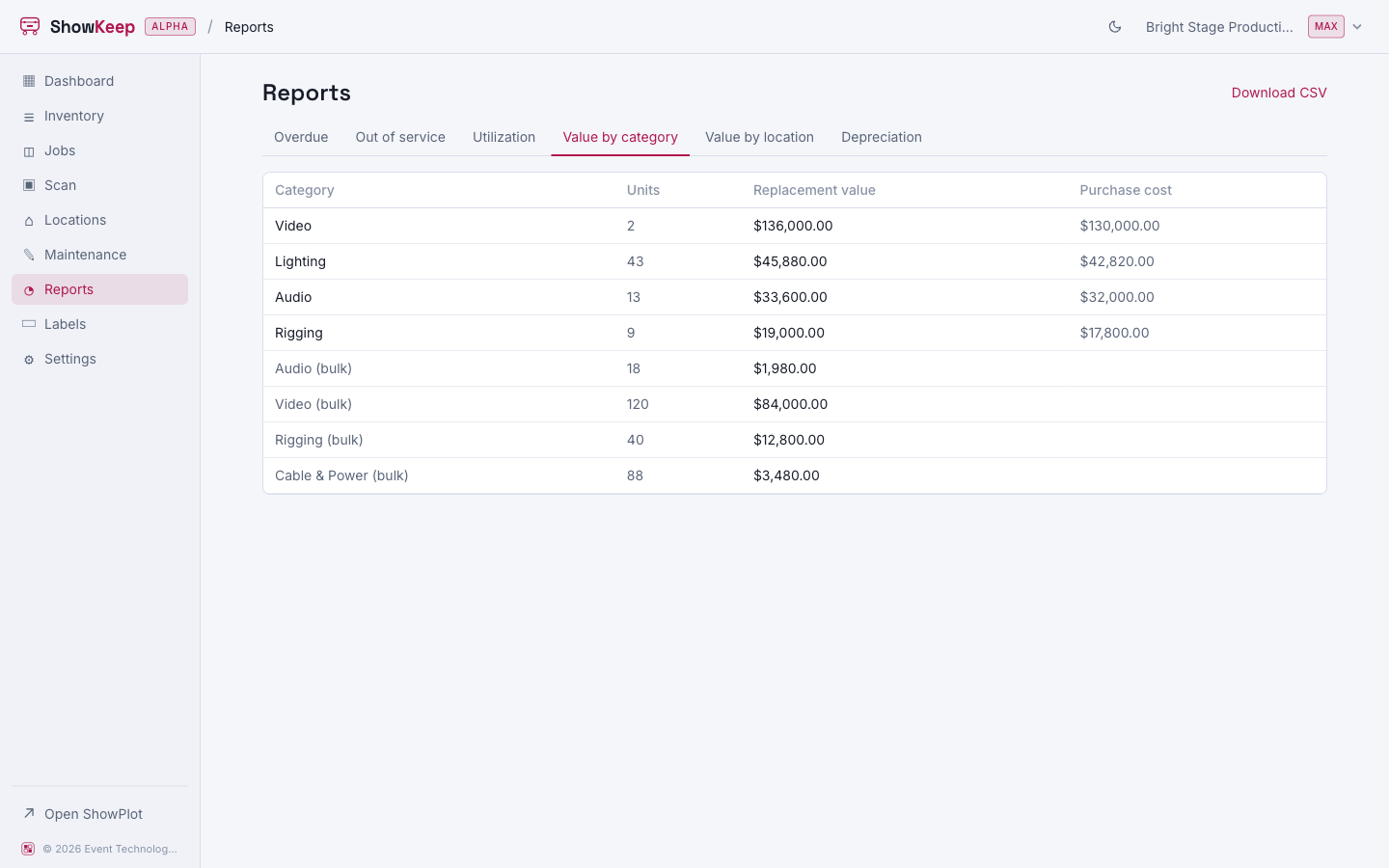
| Value by category | Replacement value and purchase cost, grouped by category. | Max |
| Value by location | Replacement value, grouped by location. | Max |
| Depreciation | Cost, annual depreciation, accumulated depreciation, and book value per unit. | Max |
The Finance reports need the Max plan; the rest are available on every tier. Any report you are looking at can be downloaded with Download CSV in the top corner.
The audit log
Beyond reports, ShowKeep keeps a running audit log of every movement in your organization: every item and unit created or edited, every checkout and check-in, every stock adjustment and transfer, every case packed or unpacked. Each entry records who did it, what it was, and when. Organization owners and admins can review it from organization settings.
The Recent activity panel on the dashboard and the History tab on any item or unit are both drawn from the same movement record, just scoped down to a smaller view.