Cases: dimensions, homes, and residents
A case is just an item with a "This is a case" flag turned on: a Pelican, a road case, a rack, a trunk. Once marked, it always carries its own asset tag so it can be scanned, packed, and pulled like any other unit.
Case dimensions and handling
Editing a case item reveals a Case section:
- Type: Pelican-style, road case, rack, or trunk, each with a default colour used in ShowPlot's truck pack.
- Exterior dimensions (the item's normal width/depth/height fields) and Interior dimensions.
- Caster size and capacity, and contents capacity.
- Rack spaces, for rack-type cases.
- Handling flags: stackable (another case can ride on its lid), rider (rides on top, never carries load), and no flip (must stay upright).
A dedicated home
Any non-case item can be set to "Lives in a case": pick the case and how many units fit per case. This is a dedicated home, gear that always travels in its own case. It drives estimates before anything is pulled, so ShowPlot's truck pack can plan how many cases a job needs before you touch a shelf.
Residents
The reverse case is a shared case whose contents are fixed but ordinary, like a workbox that always carries one DMX converter and some adapters while the rest of your converters travel loose. List those as the case's Residents on its Contents tab. Requesting the case on a job pulls its residents in automatically; a resident still exists loose for other cases too.
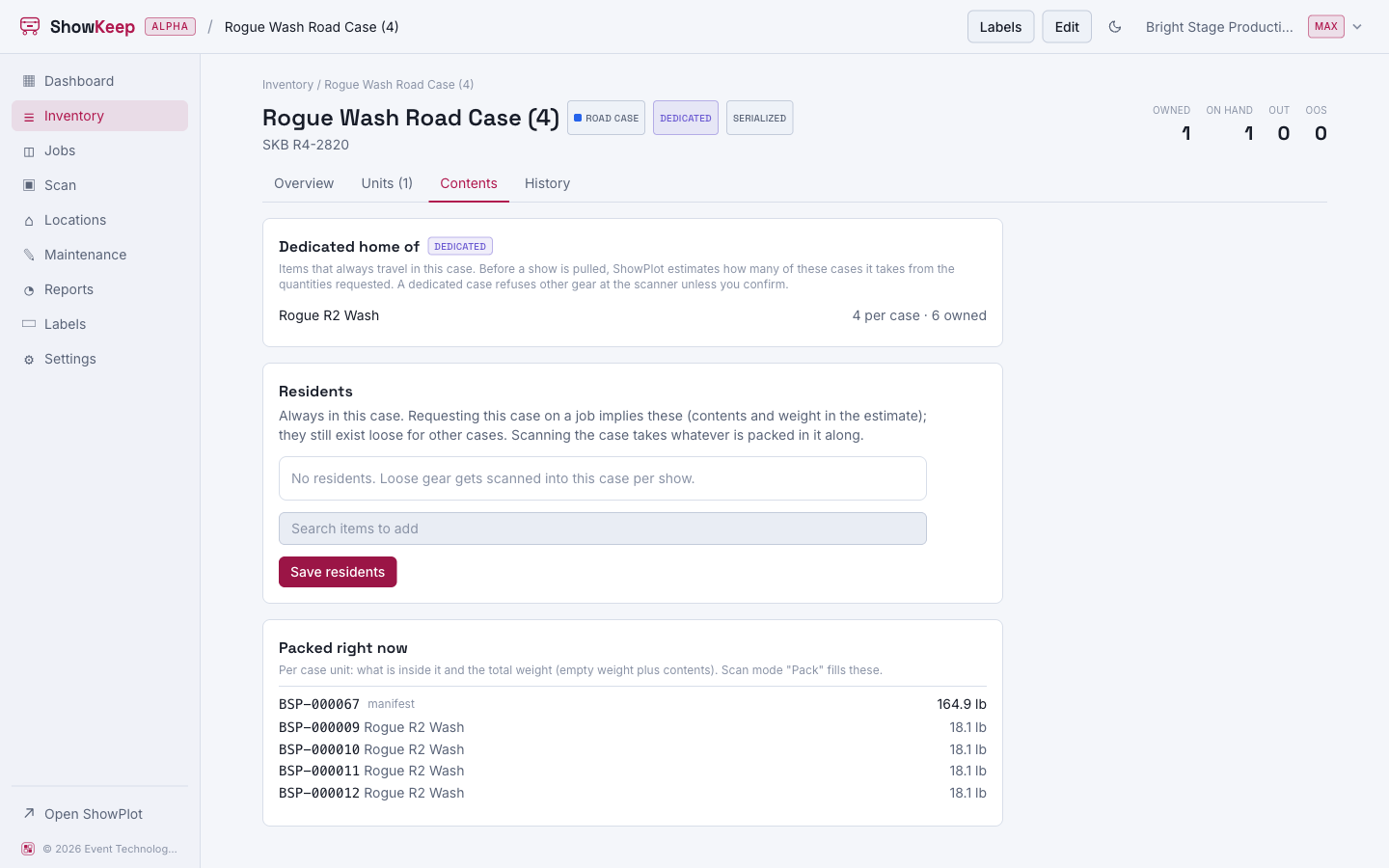
A case with a home or residents is marked Dedicated. The scanner refuses to pack a stranger into it unless you confirm, so a Viper case never quietly becomes a cable case.
Packing and nesting
Use Scan gear in and out in Pack mode to scan a case open, then scan units, bulk items, or even other cases into it. A case's Contents tab always shows what is packed into each of its units right now, with total weight. Print a packed case's contents with Print manifests.