Use your ShowKeep inventory inside ShowPlot
When your organization has ShowKeep on Max or the bundle, the gear you actually own shows up inside ShowPlot's library. You draw with your real inventory instead of generic stand-ins.
The Owned pane
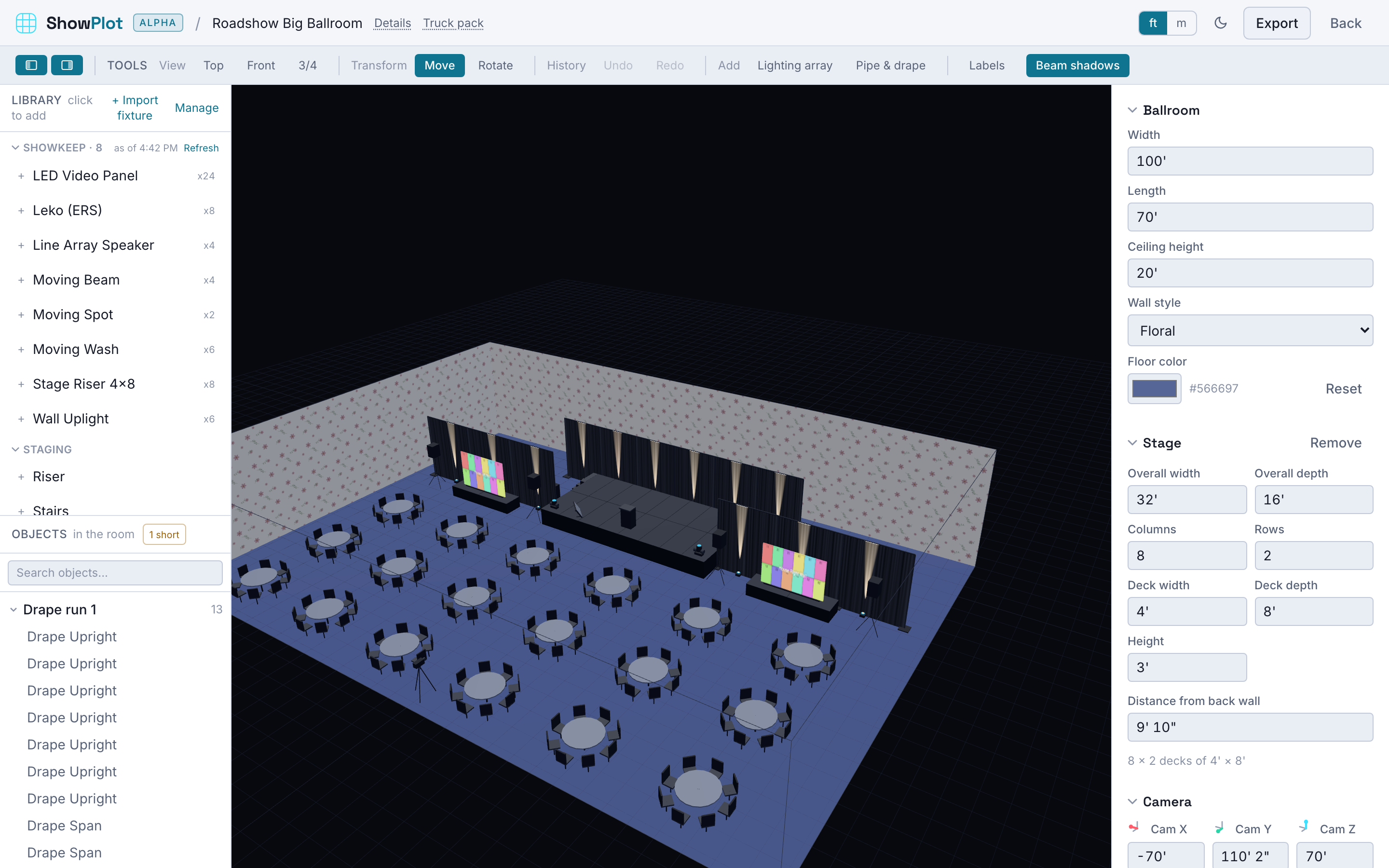
ShowPlot's library gains an Owned pane that mirrors your ShowKeep catalog. Each item shows:
- Its name, manufacturer, model, and category.
- A thumbnail and, where available, a real 3D model.
- Live counts for the show window, such as "Owned 5" and "Available 3, short 2".
Placing an item from the Owned pane drops your actual gear into the plot, with the true dimensions, weight, and DMX modes carried over from ShowKeep. If the item has a real fixture model from GDTF, ShowPlot uses it; otherwise it uses a proxy shape sized to the real dimensions.
Keeping it current
ShowPlot keeps a local copy of your catalog and refreshes it in the background. The Owned pane shows an "Inventory as of..." time with a Refresh button. Click refresh after you add gear in ShowKeep, or when you change the show dates, to resync counts.
When the Owned pane is empty or missing
- Your organization does not have ShowKeep on Max or the bundle. The rest of ShowPlot still works; you just do not see owned gear.
- ShowKeep cannot be reached right now. ShowPlot keeps working with its own library and shows the owned gear as unavailable until it reconnects.
Starting from the Owned pane means your plot is buildable from day one. Every fixture you place is a fixture you have, and the availability badges warn you the moment you place more than you own for those dates.
Related
- Check availability before you pull
- Send work between apps to turn the finished plot into a ShowKeep job.