Send work between apps
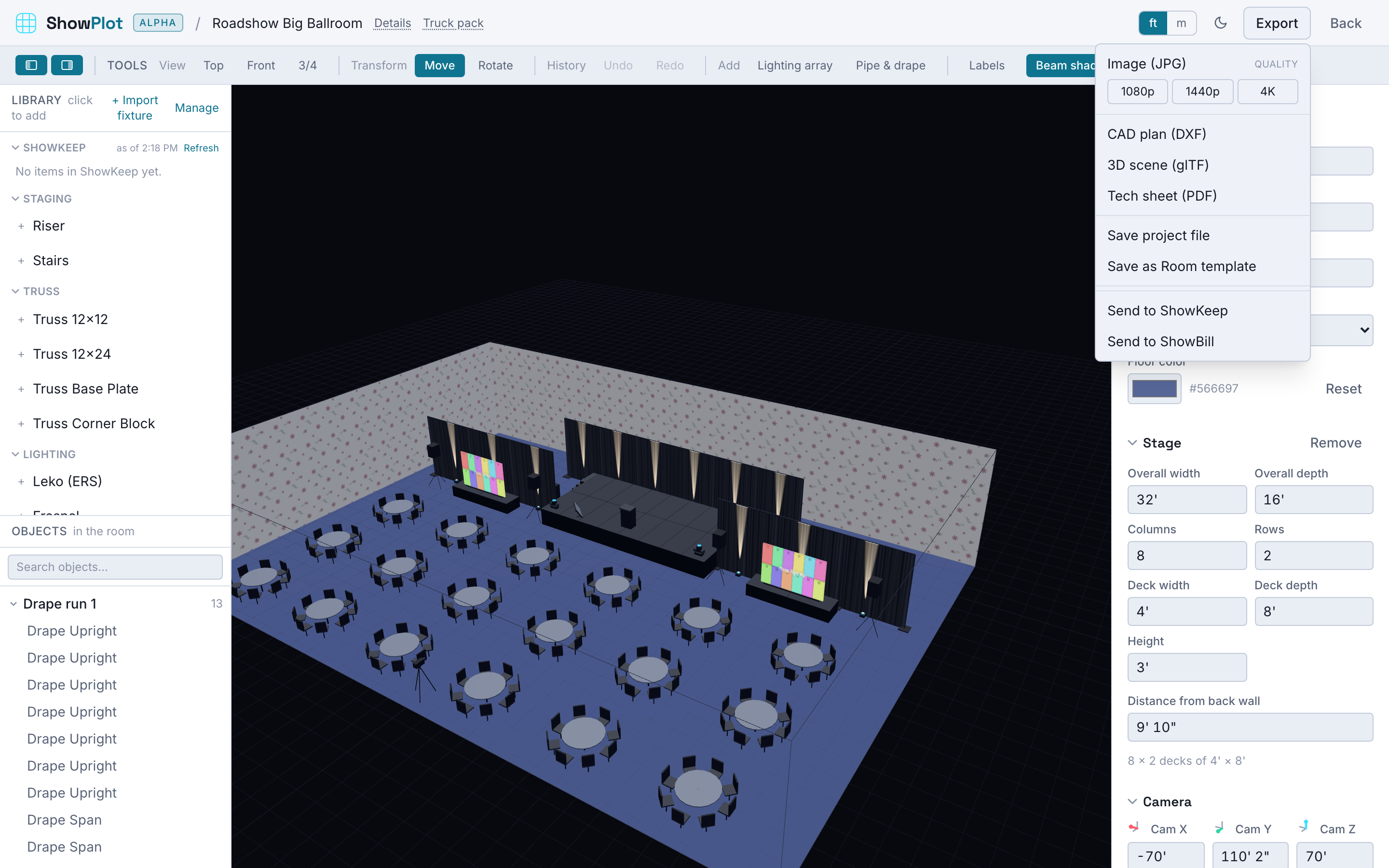
Every app has a Send to... action. It hands the thing you are looking at, a show, a job, or an invoice, to another app, which opens a create wizard already filled in. The two stay linked, so a change in one app shows up as an update in the other.
This is a Max feature. The apps on both ends of a send need to be on Max, or you need the bundle. See What each tier unlocks for integration.
What gets sent
A send carries the event details (name, client, venue, dates, notes) and the line items (gear, cases, or services), with quantities, dimensions, and, where an app has them, prices. The receiving app maps each line to its own world: ShowKeep matches lines to inventory, ShowBill treats them as billable lines, ShowPlot adds them to its library.
- From ShowPlot
- From ShowKeep
- From ShowBill
To ShowKeep: the plot's gear list becomes a job on the show dates. Every fixture, panel, deck, and truss stick lands as a line, matched to your inventory, with shortages flagged. This is the classic "turn the drawing into a pull sheet" move.
To ShowBill: the gear list becomes a draft invoice. ShowPlot has no prices, so the lines arrive unpriced and you price them in ShowBill.
To ShowPlot: the job's gear is added to ShowPlot's library so you can draw with exactly what the job holds.
To ShowBill: the job becomes a priced invoice. Each line uses its day rate times the number of rental days, with a note that shows the math, for example "$500.00/day x 3 days".
To ShowKeep: the invoice's priced lines arrive as pull-sheet entries you can fulfil from inventory.
To ShowPlot: the priced lines arrive as generic library items you can place.
The link, and the "changed in..." banner
When you send, the two records are linked. Later, if you open the linked record and the other side has changed, a banner tells you, for example "Changed in ShowPlot on March 3". You review what is different and choose to pull the updates in: add new gear, update quantities, or merge new prices.
Nothing is overwritten silently. You always see the difference and decide.
A show, a job, and an invoice can all be linked to one another. Draw it in ShowPlot, send it to ShowKeep to pull the gear, and send it to ShowBill to bill it. All three point at the same event, so an update ripples out with your review at each step.
When Send to... is greyed out or missing
- The app you are sending to is not on Max, or your organization does not have the bundle.
- The target app is not reachable at the moment. The action stays available and simply reports it could not connect; try again shortly.