Check availability before you pull
Availability answers one question: for these dates, do you have enough gear? ShowSuite checks it in two places, while you draw and right before you commit.
While you draw
In ShowPlot's Owned pane, each item carries live counts for the show window:
- Owned is how many you have in total.
- Available is how many are free on those dates, after other jobs are accounted for.
- Short is how many more the current plot needs than are available.
Change the show dates and the counts update, so you catch conflicts as you work rather than at the loading dock.
How the window is chosen
- If the linked ShowKeep job is still a draft, or there is no job yet, availability uses the show dates you set in ShowPlot.
- Once the job is confirmed, availability uses the job's real dates: prep out, show start, show end, and return due. That way a long prep or a late return is counted against the gear.
The preflight before you send
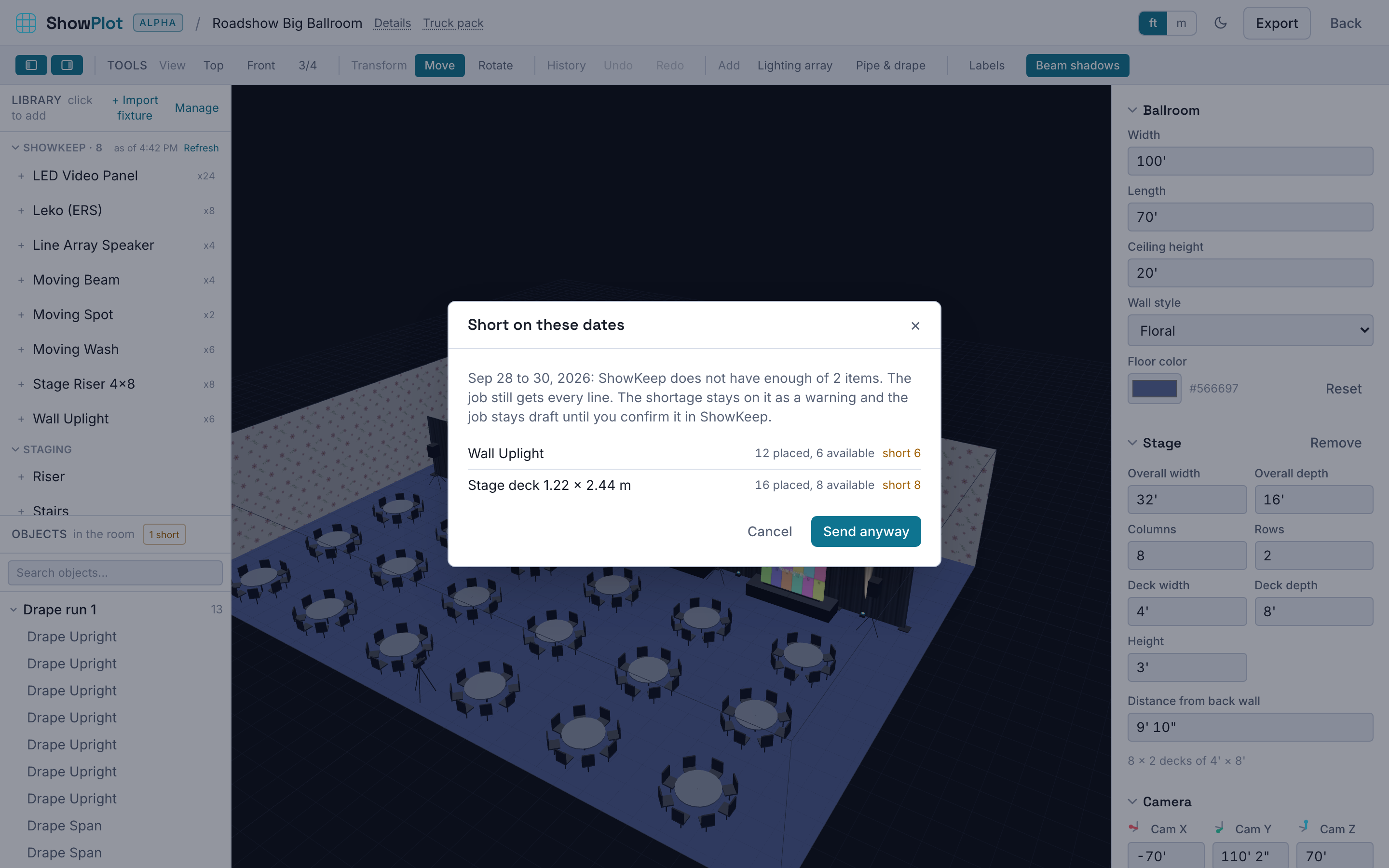
When you use Send to ShowKeep, ShowPlot runs a preflight first. It shows a line-by-line breakdown of owned, available, and short for the whole plot on those dates. You then choose:
- Send anyway to create the job even with shortages. Useful when you plan to sub-rent or swap gear.
- Cancel to adjust the plot or the dates first.
ShowSuite will let you build a plot and a job that need more gear than you own. It always tells you, but the decision is yours. Sub-rentals, cross-rentals, and last-minute swaps are a normal part of production, so the shortage is information, not a locked door.