Manage your subscription
All billing lives on the account hub. Open account.showsuite.cc and go to Billing and plans to see every app's tier, the bundle, and your organization's one renewal date.
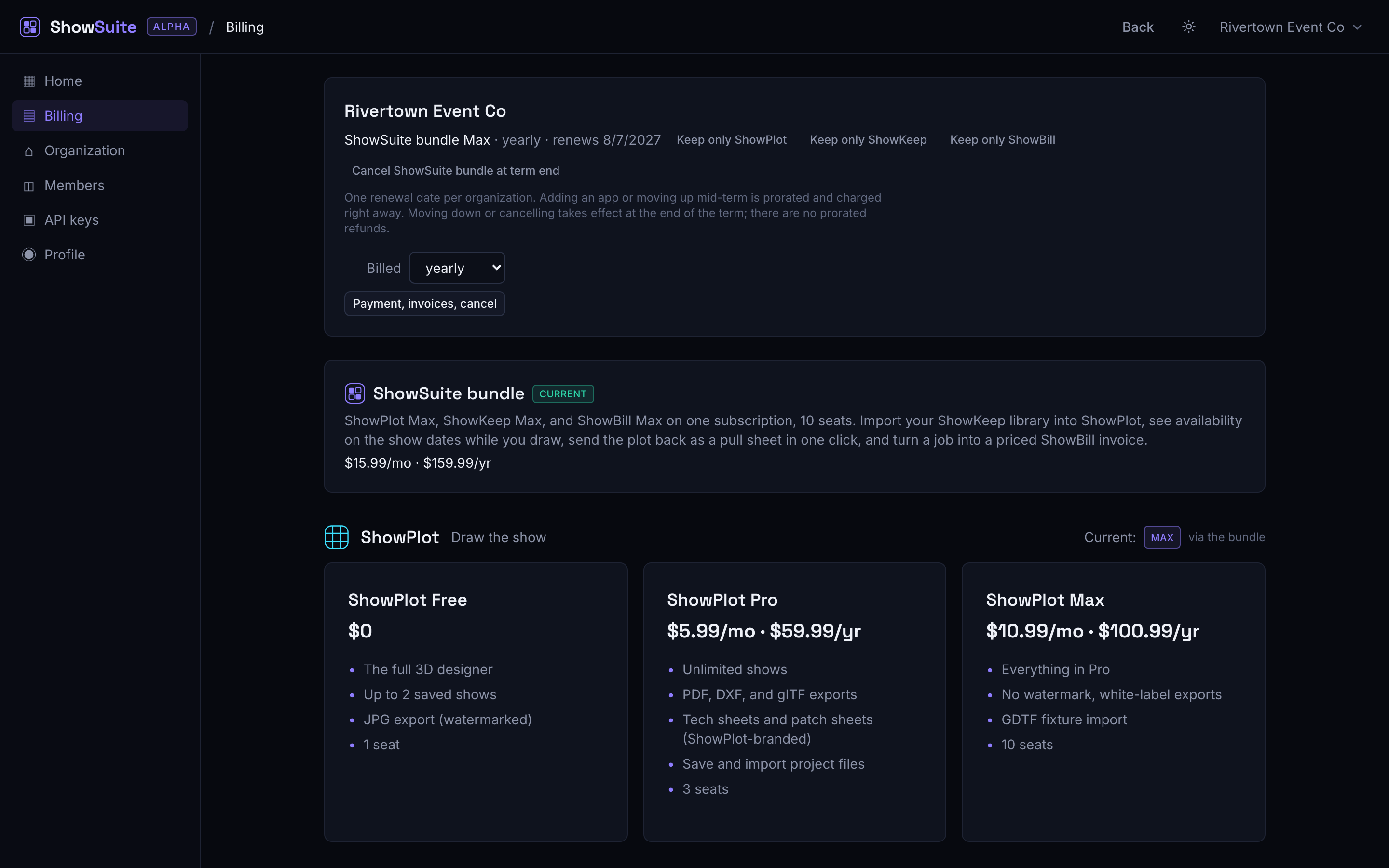
Only the organization's owner can change billing: upgrade, downgrade, switch interval, or open the payment portal. Anyone can see the current plan, but changing it is an owner action.
Upgrade a tier or add an app
Pick a higher tier for an app (or add an app you were not on) and choose monthly or yearly if your organization has no subscription yet. This takes effect immediately: you are charged now, prorated for the rest of your current billing period, and the new tier is available right away.
Downgrade a tier or remove an app
Choosing a lower tier or dropping an app does not happen right away. It is scheduled for the end of your current billing period. You keep the higher tier, and full access to the app, until then. The Billing screen shows "ends on" or "drops to" with the date. Changed your mind? A scheduled downgrade can be cancelled before it takes effect, from the same screen.
Switch monthly and yearly
Your organization bills on one interval for everything. Switching moves every app and the bundle together, and the difference is prorated and charged now, the same way an upgrade is.
Payment method and invoices
Click Payment, invoices, cancel on the Billing screen to open the Stripe billing portal. From there you can update your card, download past invoices, and cancel your whole subscription. A cancellation there follows the same rule as everywhere else: access continues to the end of the paid term, see How billing works.
Next
- How billing works has the full rules.
- The bundle explained
- Seats, invites, and roles